ZIFRA is a clock with exactly one tube: a Soviet-era IN-12B nixie that spells the time out digit by digit — hours’ tens, hours’ ones, then (with the dot lit) the minutes — and rests a moment before the next round. Inside sits an ESP8285 that syncs time over WiFi, a DS3231 clock chip for life without WiFi, a buzzer for up to three alarms, and a shake sensor. It’s open source on GitHub, available assembled in the gumslone store on Tindie, and you can watch it in action.
Firmware 2.5 is the biggest update the clock has had, and this post is both an introduction and a changelog. The short version: the web interface now lives on the clock itself, summer time switches by itself, the 12-hour clock is properly supported, and updates need no cables and (optionally) a password.
🧭 The web interface now lives on the clock
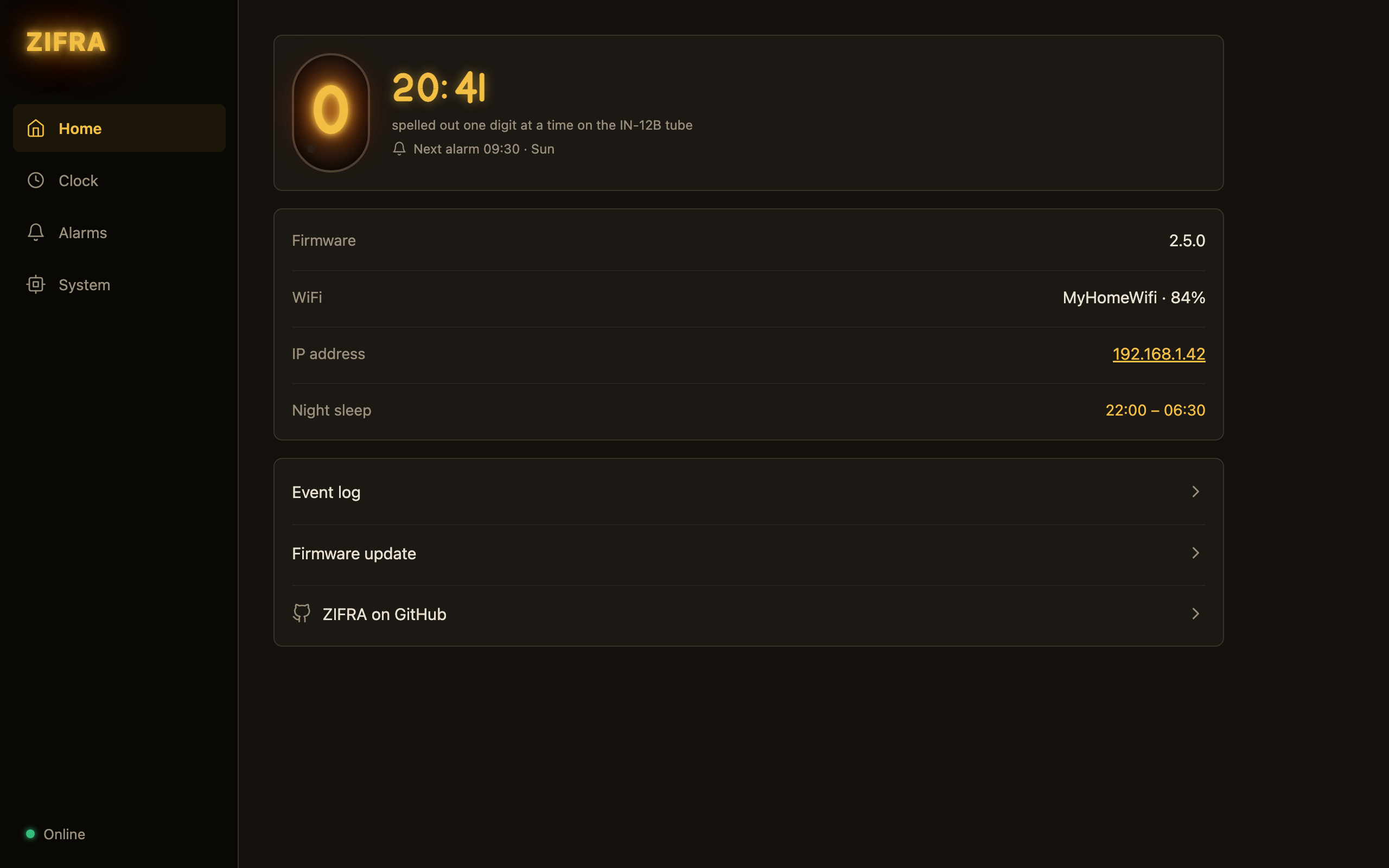
Open http://zifra.local (or the clock’s IP address) and the whole configuration app is served by the clock — no cloud, no external hosting, nothing to install. It works on any LAN, including ones without internet access, and it’s compressed so it loads instantly even from a tiny ESP8285. The pages are cached by version, so a firmware update always brings the matching interface with it. (Clocks on older firmware keep using the hosted page at tehybug.com, which stays online.)
The dashboard shows a live demo of what the tube is doing right now — the same digit sequence, the same timings, and, new in 2.5, the clock’s own time rather than your phone’s. If the time zone is set wrong, you see it immediately. While the tube sleeps at night the demo goes dark too, and the dashboard says “asleep until 06:30”.
🌗 Summer and winter time, automatically
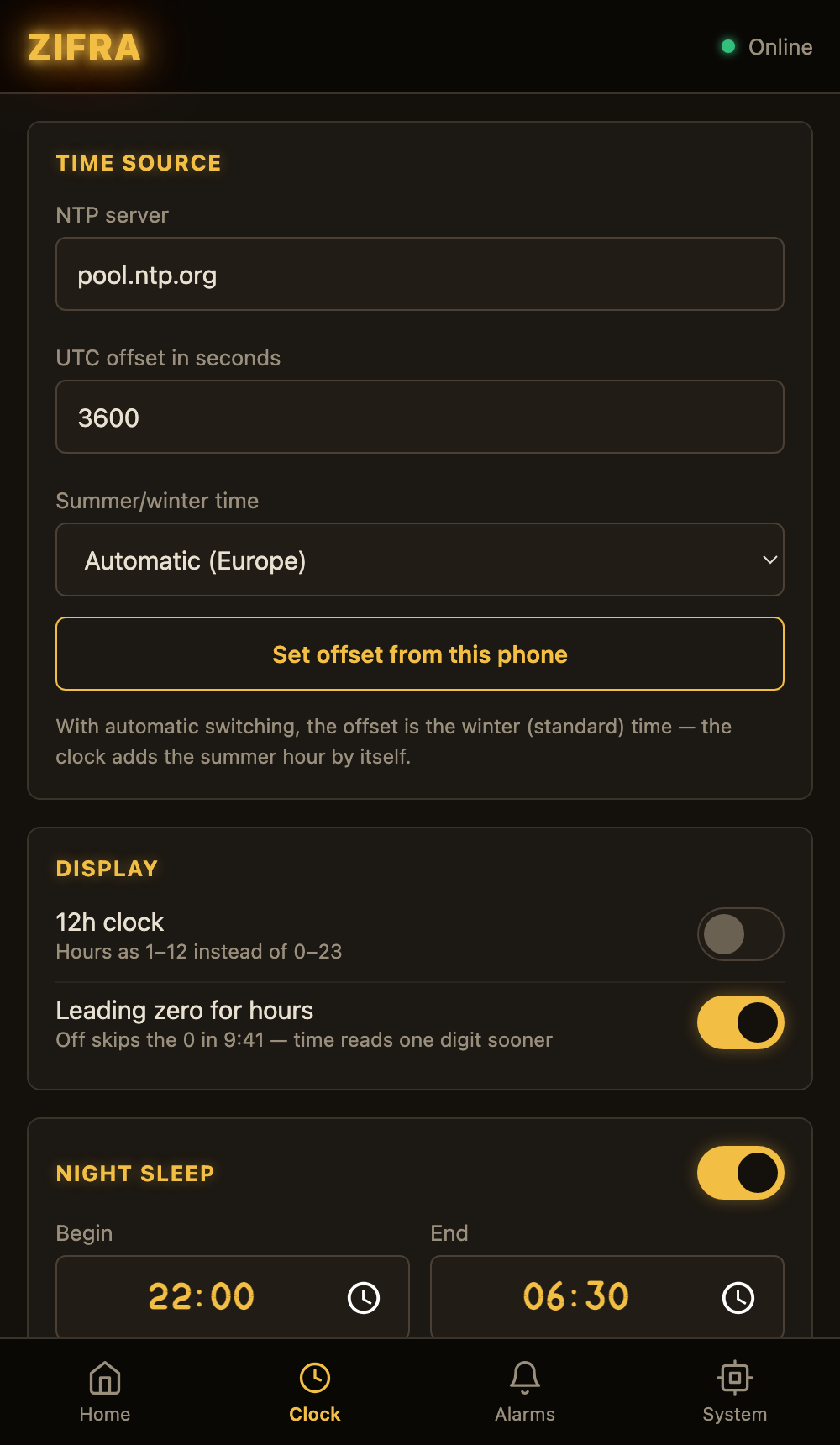
Pick Automatic (Europe) or Automatic (USA) on the Clock page and the clock switches on the right night by itself — the last Sunday of March and October in Europe, the second Sunday of March and first of November in the US. With automatic switching on, the offset you store is winter (standard) time; the “set offset from this phone” button knows this and stores the right value.
This also fixes a subtle problem for clocks that run without WiFi: the backup clock chip used to hold local time, so an offline clock would be an hour off after every switch. It now keeps UTC and applies the offset and summer hour when reading, and it’s refreshed from the internet time daily whenever WiFi is available.
🕛 The 12-hour clock, done properly
Switch the clock to 12 hours and everything follows: alarm times and the night-sleep window are edited with an hour / minute / AM–PM control, the dashboard shows “10:00 PM – 6:30 AM”, and the tube demo mirrors the real display — including the leading-zero option, where 9:41 skips the zero and reads one digit sooner. Flipping the switch converts everything you’ve typed in place.
⏰ Alarms and night sleep
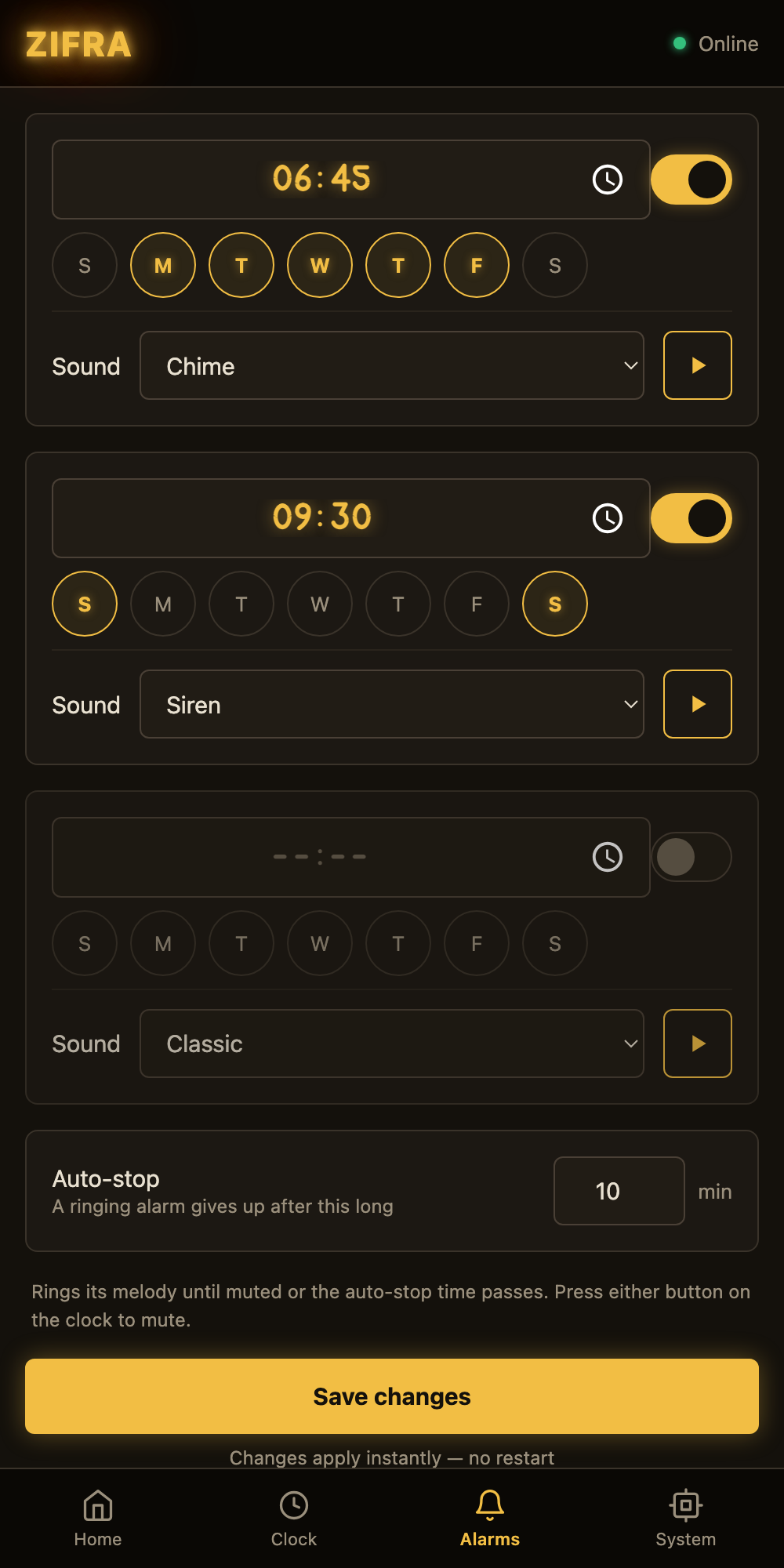
- Eight alarm melodies — classic two-tone, double beep, siren, chime, cuckoo, bugle, a gentle beep and SOS — each alarm with its own weekdays, and a preview button so you can hear them from the browser.
- Auto-stop: a ringing alarm gives up after a configurable number of minutes. Shake the clock or press its button to mute it sooner.
- Night sleep turns the tube off during a window that may span midnight (22:00–06:30 works). Shaking lights the time up for three minutes. A resting tube is a tube that lasts — nobody makes nixies anymore.
- Saving settings applies them instantly. The restart after every save is history.
🔧 Updates without cables — and with a password if you like
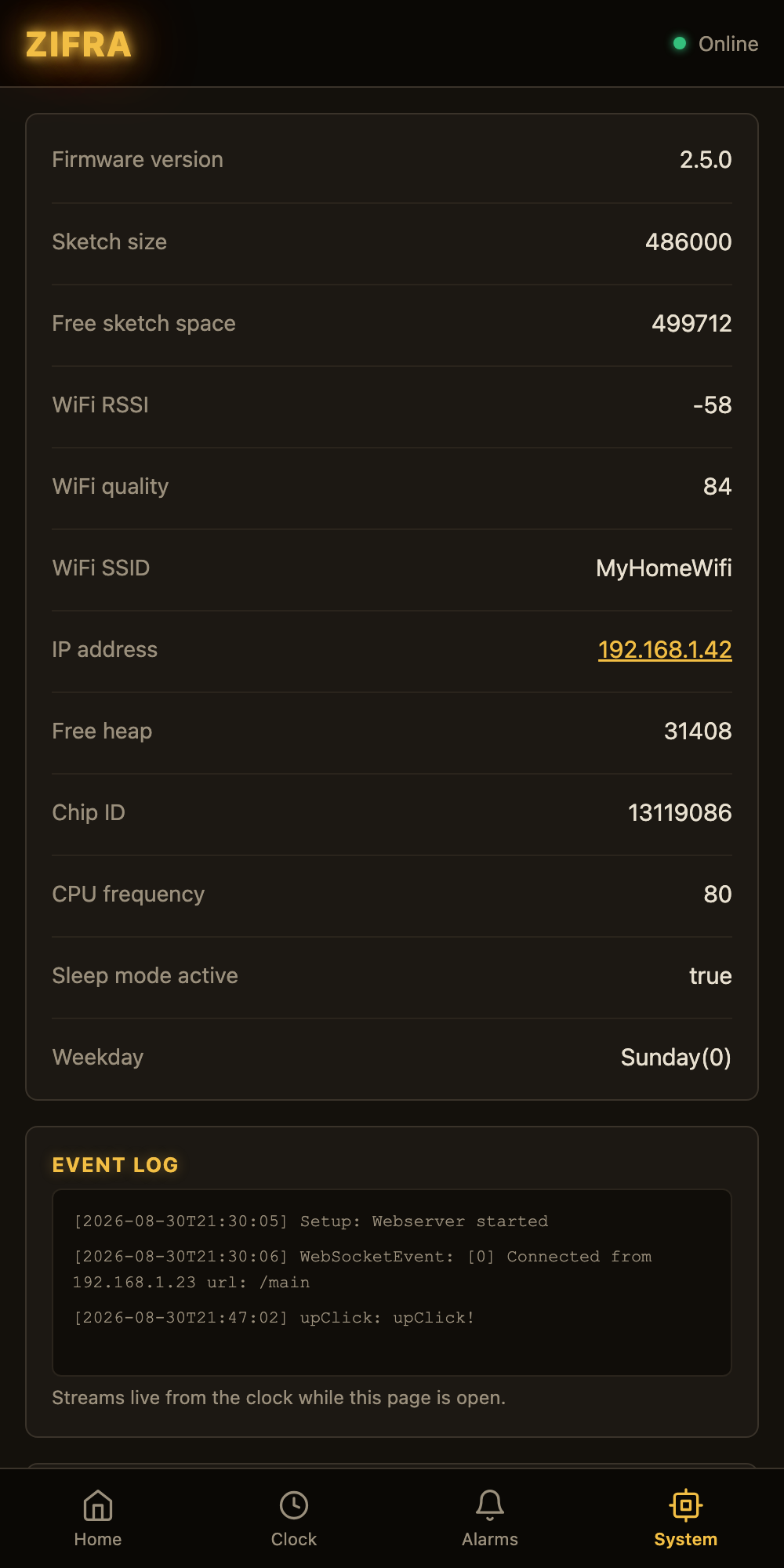
On the System page, pick a firmware .bin and press Flash firmware: a progress bar runs, the clock reboots, and the page reconnects on its own. Settings survive updates. If you share your network, set an update password on the same page (user name zifra) — without it, anyone on the WiFi could flash the clock. The password is never sent back to the browser.
📶 WiFi setup that looks the part and connects first time
The setup portal — the page you see when joining the clock’s own ZIFRA-XXXXXX network — now wears the same amber-on-dark look as the rest of the interface. More importantly, the spurious “Authentication Failure” on the first join attempt is fixed: the ESP8266 shares one radio between its setup access point and the network it’s joining, and the handshake could die mid-way even with the right password. The clock now disconnects cleanly first and retries, and it shuts its setup network down once connected, so ZIFRA-… no longer lingers in your WiFi list.
🔤 A nixie font for the browser
Every time in the interface is drawn in “Zifra Tube”, a small webfont whose digits follow the cathode shapes of a real IN-12 — the flat-top 3, the plain-bar 1, the curved 7 — with a glow to match. It’s generated from a script in the repo, so the shapes can keep evolving.
🛠 Under the hood
- The web page used to load slowly or not at all after a while: dead connections were piling up in the clock’s five websocket slots. The clock now pings its clients and drops the dead ones, and the page gets its data in about a tenth of a second.
- The system stats on the System page are live again, refreshed every ten seconds.
- The firmware has been restructured into modules, with the timing, alarm, sleep and daylight-saving logic covered by tests that run on a normal computer, static analysis, and a PlatformIO build — all in CI on every push. Releases are tagged and built automatically, with binaries for the stock ESP8285 board and for generic 1 MB ESP8266 modules.
- Squeezing the whole interface into a 1 MB chip while keeping over-the-air updates possible was the fun part: an update image must fit next to the running firmware, so the build now refuses anything that couldn’t update itself again.
📥 How to update
- Download
zifra_esp8285_<version>.binfrom the releases page (for a generic ESP8266 module take theesp8266_genericfile). - Open the clock’s web interface, go to System, choose the file and press Flash firmware. On firmware older than 2.4, open
http://zifra.local/updateinstead and upload it there. - Wait for the reboot. Your settings and WiFi stay as they were.
Building one yourself, or recovering a clock over USB? The repo bundles BugZapper, a small flasher with a serial monitor that needs nothing but Python. Everything else — firmware, web interface, 3D-printable enclosure and a short history of the nixie tube — is in the ZIFRA repository.
Leave a Reply